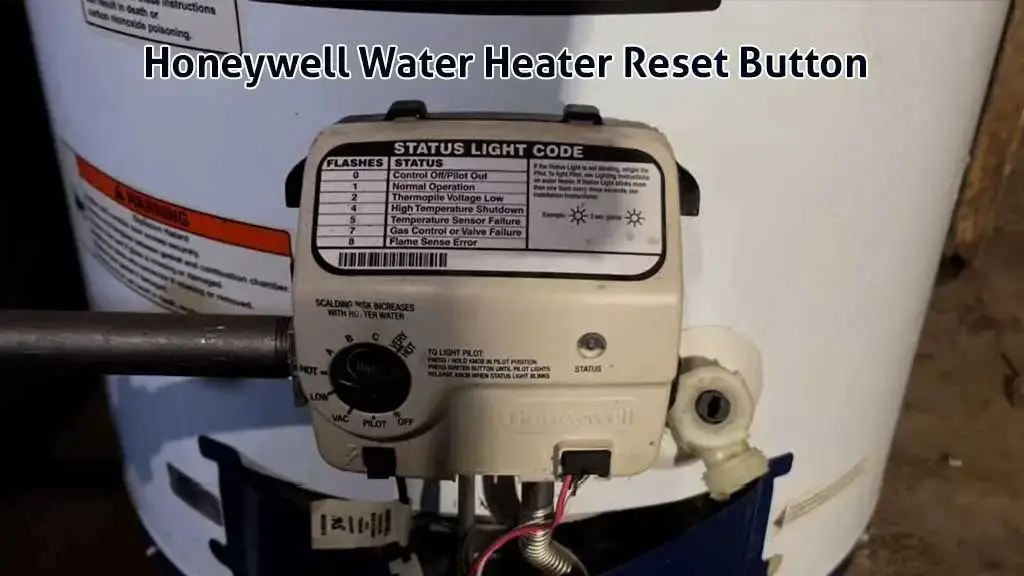
Using the Honeywell water heater reset button can be hard. Especially because there is no Honeywell reset button in the water heaters or the gas valves. But don’t worry, there is a way to reset these heaters.
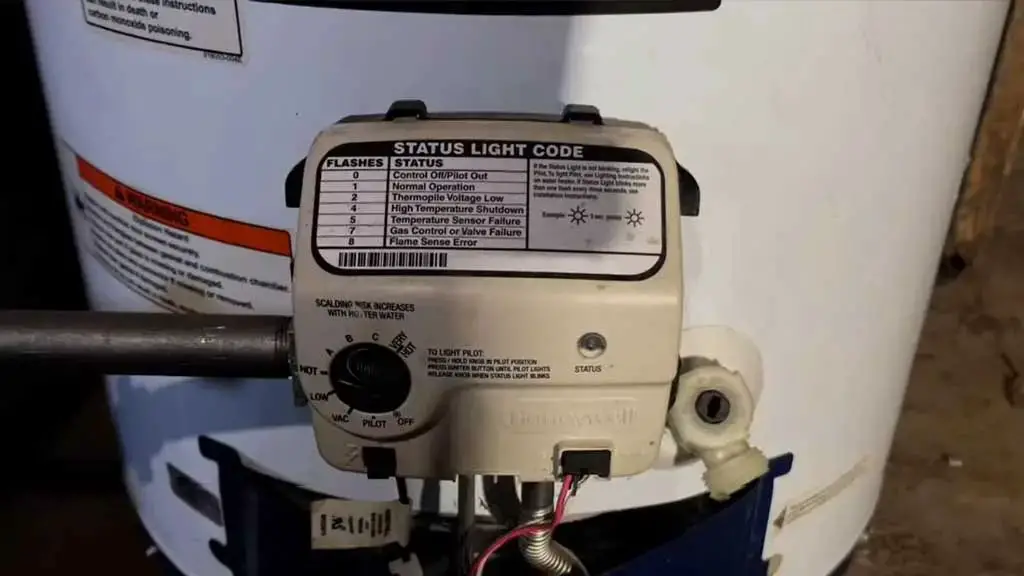
In this guide, you’ll learn all about what people actually mean when they talk about the Honeywell gas water heater reset button, how to use it, and what’s most important for the heater to operate well. So, let’s dive in!
Honeywell Water Heater Reset Button [Full Usage Guide]
Okay, before we get into the details, let’s get some of the terminology settled so that there’s no confusion later on. When people talk about using a reset button in Honeywell gas heaters, it’s actually not possible.
Why? Because there is no reset button in the Honeywell gas valve or heaters. So, what are they actually talking about? Most people mean resetting the thermal safety switch. And I’ll show you how to do that as well.
But more often than not, the most common mistake people make is not starting the pilot correctly. They don’t necessarily need to “reset” the water heater. They just need to follow the right pilot lighting procedure. So, let’s see how you can do it first.
How to Start The Honeywell Water Heater Pilot Light
Starting a pilot light in Honeywell water heaters is easier than most people think. Just follow these simple steps, and you’ll get it done:
Step 01 – Light the Pilot
Turn the knob to the “pilot” position and then start pressing the piezo igniter button to create continuous sparks while holding down the pilot knob. A common mistake people make here is that they hold down the igniter instead of continuously pressing it.
But you need to press it for up to 90 seconds. If there’s nothing wrong with your heater, it should start the pilot light. But sometimes, your heater could need the thermal switch reset that we talked about. Don’t worry, I’ll show you how to do it later in this guide.
Another common mistake that people make is that they don’t hold down the pilot knob when trying to turn it on. Remember that you need to press it down as you press the igniter button. Otherwise, the pilot won’t light.
Step 02 – Holding Down The Pilot Knob
Even when the pilot light turns on, you’re not supposed to let go of it immediately. As soon as the pilot light lights up, a lot of people think, “Yes, job done,” and release the button immediately. What ends up happening is that the pilot goes out right away.
The reason behind it is that you didn’t give the pilot light enough time to make the thermocouple warm and signal the control board that the heater is ready to go. As the thermocouple doesn’t get engaged, the pilot goes out.
So, you need to hold down the pilot light even when it’s lit. How long should you do it? There’s an easy tell—just wait for the status light to blink. Once it starts to blink, your heater has started working, and you can move on to the next step without any issues.
But sometimes, what happens is that the status light won’t come on even after holding it for a while. In that case, you should let go and try again after 10-15 minutes. Sometimes, there’s gas in the lines, and it takes time to clear.
So, you should wait for 90 seconds, holding down the pilot light in each attempt, and then try again at those 10-15 intervals. If the pilot doesn’t light after trying it a few times, then there’s a strong chance that something is wrong with your heater.
In such cases, the issue is not about following the right pilot lighting instructions. Something is genuinely wrong, and you need to get that issue fixed before using your heater again.
Sometimes, the status light will come on and blink in a certain pattern. When you match it with your manual or look it up online, you’ll know exactly what’s wrong with your heater. Then, it’s just about getting that issue addressed, and you’ll be able to use your heater as usual.
Step 03 – Change to Desired Setting & Enjoy
If the status light came on without any issues, you can simply turn the pilot knob to your desired settings and start enjoying the hot water. It can take a few minutes, depending on the temperature you set for the water to get there.
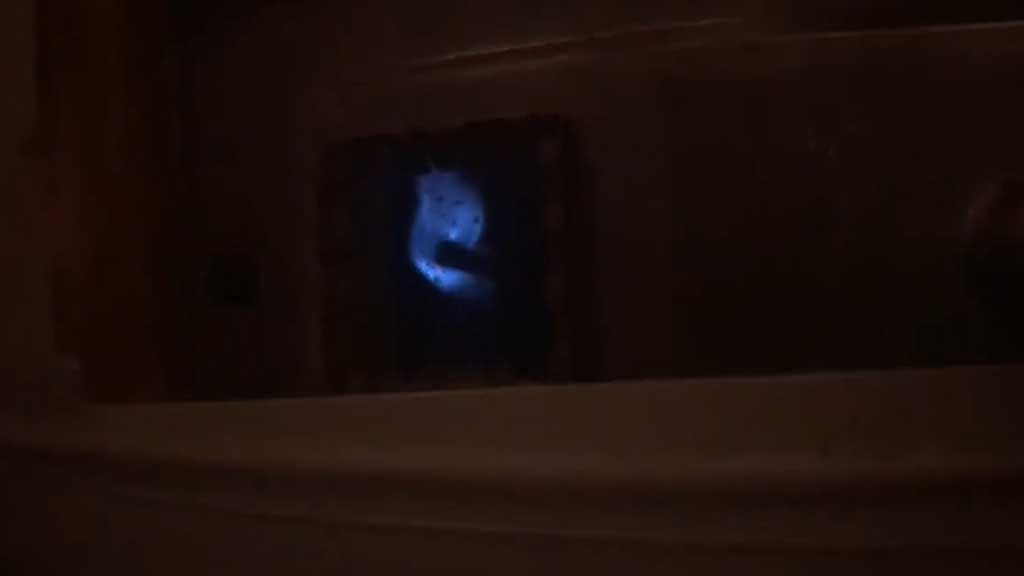
But at this stage, you should clearly see a nice and strong blue flame through the slight glass. Again, if the flame goes out when you change it to your desired setting, then there’s a deeper issue with your heater, and you need to get that fixed, and you’ll be good to go.
So, that’s all it takes for a proper Honeywell pilot light reset. I explained it in detail because I also wanted to point out the most common mistakes that a lot of people make in this simple procedure.
But when it comes down to it, you’re essentially following these few simple steps:
- Move the pilot knob to the pilot position and hold it down.
- Keep firing the piezo igniter button every 2-3 seconds until the pilot light comes on.
- Keep pressing the pilot knob until the status light comes on.
- Once the status light is on, change the position of the pilot knob to your desired temperature setting.
Then, confirm that you have a good flame and enjoy your heater doing the work. Hopefully, there’s no longer any confusion on how you can turn on the pilot light in Honeywell gas heaters after this explanation.
How to Reset Honeywell Thermal Safety Limit Switch
Now, when most people talk about the Honeywell hot water heater reset button, this is what they’re referring to. There’s no actual reset button in the gas valve. The thermal switch is an automatic safety mechanism that shuts down the operation of the heater so that it doesn’t get too hot.
It could be tripped by many things, but the most important thing is that it’s super easy to reset it. All you need to do is press the reset button. Now, it’s located inside the metal access panel at the bottom of your heater. For reference, it’s where the sight glass of the heater is also located.
There could also be some protective insulation in front of it. If you find it, you’ll have to remove it to get access to it. But when you do, all you need to do is press that button, and the heater will be reset.
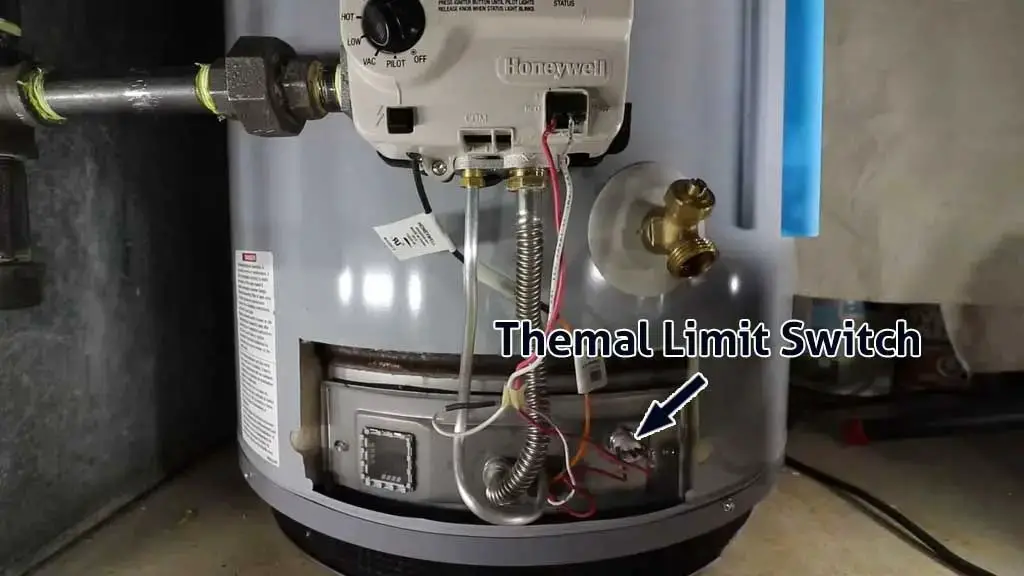
Now, this is the first thing you should do if you tried lighting the pilot normally and it wouldn’t work. In that case, you should press this reset switch and try lighting the pilot again. A lot of people call this the Honeywell water heater thermostat reset process, but you’re actually resetting the thermal limit.
It’s also really easy to tell if it was important to reset this switch. Because when the switch needs to be reset, you’ll be able to press it, and you’ll also hear a clicking sound. That indicates that the thermal safety switch was tripped, and you actually needed to reset it.
But when it’s not tripped, you won’t be able to press it at all. So, in that case, you can be sure that the thermal switch isn’t the issue here, and most likely, something else is wrong with your heater.
When you understand these things, it becomes really easy to operate the heater. So, start by trying to light the pilot correctly. If it doesn’t work, reset the thermal switch, and then try the pilot light again. Hopefully, it’ll work, and you’ll finally get hot water from your heater.
How to Reset the Gas Valve on a Honeywell Water Heater
Alright, this is the final trick in the book that I have. A lot of people don’t know about this, but thankfully, you’re in the right hands with my 10+ years of experience as an HVAC technician.
Now, I told you that there’s no reset switch in the Honeywell gas valves or water heaters. So, how can you reset them? Well, there is a way. Even though there’s no reset button, there’s a sequence in which you can turn the pilot knob. And it’ll automatically reset the Honeywell gas valve.
It’s most effective when the status light throws random error codes and you need to remove it. So, how do you do this? Okay, so the trick is actually very simple. Just follow these steps:
- Turn the pilot knob to the “Very Hot” position and keep it there for around 10 seconds.
- Then, bring it to the “Hot” position, and also hold that position for 10-15 seconds.
- Then, bring the knob to the pilot position.
That’s all you need to do to reset the Honeywell gas valve. At that stage, you can start to light up the pilot by following the right instructions at the start of this guide.
Now, that’s the right process to follow when you have those Honeywell gas valves with the black buttons and the black pilot knob. But there are also the gas valves with red buttons and a red pilot knob.
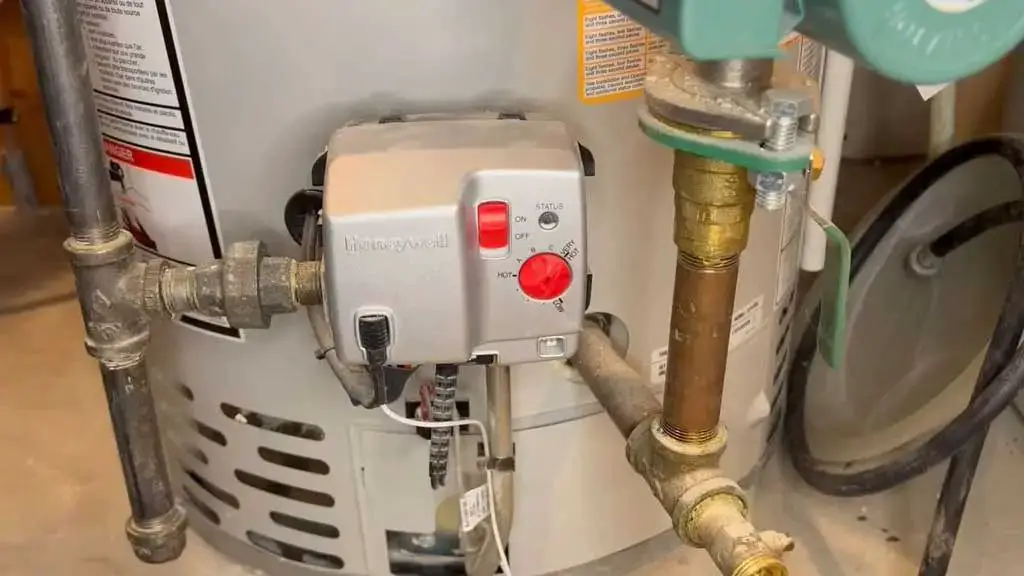
Those red-buttoned Honeywell gas valves also commonly have a dedicated on or off button. The reset process is different for those valves. You can follow these steps to reset those types of valves:
- Unplug the water heater from the electrical outlet and leave it unplugged for at least 60 seconds.
- Plug the unit back in after one minute.
- Turn the On or Off switch on the gas valve off, then turn it back on.
- Now rotate the temperature dial from the lowest setting to the highest setting seven times in a row. Do it steadily and without long pauses between turns.
- Once done, leave the dial in your desired temperature position and check the status light.
If the reset is successful, the unit should return to normal operation. If the unit still does not reset, then you are likely dealing with an underlying issue rather than a simple control glitch.
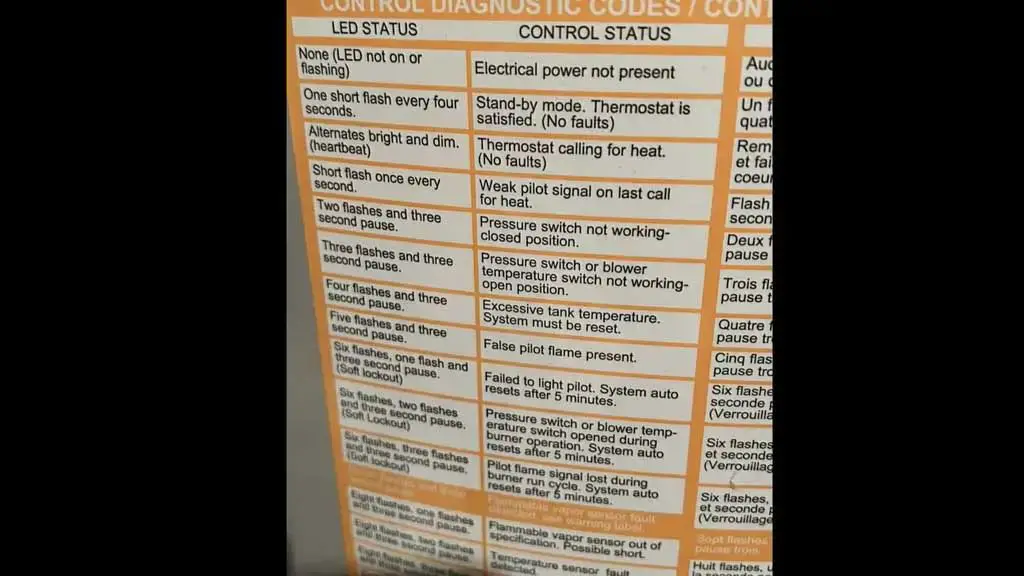
In that case, pay close attention to the status light blinking pattern. Honeywell places a diagnostic chart sticker on the side of the water heater that explains what each flash sequence means.
Count the flashes carefully and match them with the chart. That blinking pattern will tell you exactly what is wrong with the heater, so you can move forward with the right fix instead of guessing.
FAQs
Where is the Honeywell gas water heater reset button located?
It’s actually the thermal safety switch reset button, and it’s located at the bottom part of the heater. The metal access plate and some insulation in front of it should cover it. When you remove these two things, you’ll have access to it.
Where is the Honeywell water heater thermostat reset button?
There is no thermostat reset button on Honeywell heaters. You can just turn the pilot knob to your desired hot water settings, but there’s no physical reset button for it.
When is it okay to release the pilot knob?
If the status light starts blinking, that means the pilot flame is working, and the control valve recognizes it. At that point, you can turn the knob from PILOT to your desired temperature setting for hot water.
How to light the pilot when the status light is off?
Don’t just follow the printed instructions for lighting the pilot. First, make sure the high limit switch is not tripped. Press the reset button. Then follow the normal pilot lighting steps.
Conclusion
So, it should be clear by now that following the right procedure when lighting the pilot is the most important thing you can do. Do that right, and you won’t run into unexpected issues. But if you do, try resetting the thermal switch and the gas valve, and try again.
That’s really all there is in terms of fixing the issue related to the Honeywell water heater reset button. If your heater still doesn’t give hot water, something is wrong with it. You can check out my guide on fixing the Honeywell water heater pilot light if you’re dealing with any issues there.